Showing posts with label office. Show all posts

Tuesday, 20 July 2010

#2 Greet’s Office – The Video Tutorial

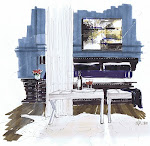
Greets Office

Rendering by Michelle Morelan, 2010

Interior Design by Lefevre Interiors and Greet Lefevre of the Blog Belgian Pearls

greet library

For this tutorial, we are working from photo. This office/library designed by Greet Lefevre has deep shadows and fine liner work, because of the panelling, which also requires some lighting and wood graining techniques. Don’t be afraid of dark shadows; they will give your drawing dimension. And be a little looser in applying your colour and pen weights- that’s the charm of a hand drawing.

Also, sometimes a gesture of an object is better than too much detail. Just like Interior Design, you read it as a gestalt, not as individual objects.

#2 Greet's Office from Schematic Life on Vimeo.

You can watch it in full screen mode by clicking the arrows beside vimeo :) It’s recorded in HD, so keep the HD on.

Greets Office

Thanks Greet!!

Monday, 12 July 2010

#1 Yellow and Blue Office – The Video Tutorial

yellow office MMID

Yellow and Blue Office- Finished Rendering, Michelle Morelan, 2010

Welcome to the first in my video series- #1 Yellow and Blue Office.

Over the last couple of years, there has been interest in me teaching what I do with architectural markers. I’ve always said that anyone can do it, and there are techniques…so here’s the formula that I use typically for un-built spaces. Instead of a computer model, you can also use a photo, replacing and deleting items. I call this the substrate, and it’s the basis for your perspective and rendering. Of course, there are kinds of drawings for ID, from napkin sketches to finished watercolours…

Please bare with me, as this is a learning experience for us, and I had to let some control go just to finish this first video…I knew nothing about the filming process, and it’s more difficult than I thought. 

This video is the demo/prototype version for building the series, and I am excited to share it with you. Please, be nice, it took allot for me to put myself out there, and like many of us, I cringed at the inflection of my voice, or a simple hand gesture. My need to share some of the rendering skills I’ve gained, outweighs the fear.

I’m excited…and thanks to all of you for the emails…let’s see how this goes :)

Best, Michelle

***

Print these PDF renderings from my website to participate in the video tutorial

yellow and blue office shadow dwg for post yellow and blue office texture dwg for post

***

CIMG1911

Materials used in this rendering:

  • Light table set up (glass, lamp and heavy books will do). If you don’t have piece of glass, consider the “as is” bin at Ikea for a glass door or small table top for one of their cheap end tables; just make sure it’s long enough. Always use tempered glass with a finished edge!
  • Paper: both ledger size plain paper and archival rag paper- Bienfang Graphics 360- 100% rag translucent marker paper (this is like tracing paper, but it doesn’t bleed, is thicker and is able to handle the marker manipulation) these sizes are approximate, and you can work smaller or larger if you like. I have a scanner that scans up to ledger size (11x17). Just ask the clerk for marker paper- archival.
  • Drafting tape; it’s less sticky than regular masking tape, but that will do too…just put it on your pants or skin first to get most of the stickiness off.
  • Black fine liner pens: Copic Multiliner SP .03, and .05, Staedtler pigment liner .1 (an assorted pack of thicknesses is a better deal)
  • Artist pen by Faber-Castell in the B thickness; this is a paint brush type tip- a multipack of greys and a multipack of colour is a better deal, but for this dwg, I used 199 (dark gray), 272 (light gray),174 (green), and 247 (blue). There was a quick use of a thicker 180 (raw umber) for the desk, but I went over it with the darker brown to fix it; still this is a useful thickness and colour, and will be used in future dwgs, so I would recommend it
  • Graphic pen 3000 duo tip by Staedtler Mars in 55 (green). These are some of my favourite paint pens, because they pool.
  • Tombo ABt paint pen 491 (glass coloured blue); its duo tipped
  • Copic Markers in W5 (Warm Gray #5), E49 (Dark Brown), 110 (Special Black), E43 (Dull Ivory)
  • Touch Markers CG5 (Cool Gray)
  • Prismacolour 96 (Blondwood)
  • Letraset Tria Marker in 120T (Medium Yellow)
  • A gold roller ball gel type pen
  • A dual tipped black Sharpie
  • Signo pigment ink in UM-153 White

Thursday, 13 May 2010

MMID- Yellow and Blue Office

yellow office MMID

The combination of blue and yellow is one of my favourites…like Provence or Delft. It’s traditional in it’s roots, but it becomes even stronger when contrasted against modern elements and lines. Romo linen draperies and gold leaf trim inside the panes of the cabinet, nail head trim on the chairs and original art that floats in front of the draperies proves design is in the details. It’s today's traditional.

Design and Rendering by Michelle Morelan, 2010

Monday, 9 February 2009

Sunshine On My Shoulders Makes Me Happy


Look at the orange orb and these ray type thingies coming through my window a few minutes ago...it gave me the energy this morning to wash my car before 10am, clean my house and plan a day out sourcing.

I love Spring!

Sunday, 2 November 2008

Brother Professional Series MFC-6490CW Inkjet All-in-One


I liked this all in one printer/scanner/fax at Staples...it handles 11 x 17 documents and it's fast...28 colour pages a minute...finally...someone is thinking! And...it's only around 350 bucks!


Great for CAD dwgs and presentations. Renderings always look best when reduced in size...now I can start with a tabloid sz. dwg. and shrink it down to make it crisp. Also, if I can print a doc. that sz., I can use 1/4" scale for most spaces. Less trips to Kinkos!

Features:
Print, scan, copy up to 11" x 17" document
Perfect for creating impressive everyday business documents such as reports, presentations, spreadsheets, proposals and more
Up to 35 ppm black
Up to 28 ppm colour
Up to 6000 x 1200 dpi high quality resolutions
Widescreen 3.3" colour LCD display
400-sheet input capacity
High speed 2.0 USB, ethernet, wireless (802.11b/g), Pictbridge and USB flash memory standard interfaces
64MB memory
5000 page monthly duty cycle
B/W and colour faxing capabilities
100 locations fax auto-dial
23 cpm black
20 cpm colour
1200 x 2400 dpi optical scan resolution
High yield cartridges are included
21.3"(W) x 19.2"(D) x 12.7"(H)
Weight: 34.4 lbs